
Choosing Between Bubble Charts and Treemaps for Complex Data
I was sitting in a conference room a few years back, staring at a dashboard that looked like a Jackson Pollock painting. The client had thrown 47 categories of market share data onto a single chart. Honestly? It was a mess. The bubbles overlapped, the treemap rectangles were microscopic, and everyone in the room was squinting like we were reading a prescription bottle. That’s when it hit me: choosing between bubble charts and treemaps for complex data isn't just a design preference—it’s a strategic decision. Get it wrong, and your audience walks away confused. Get it right, and you can make a billion-dollar insight look obvious.
Look—both tools are about showing hierarchies and proportions. But they serve completely different masters. A bubble chart uses circles (or spheres in 3D, though please don’t go there) to represent values, with position on X and Y axes adding two more dimensions. A treemap, on the other hand, tiles rectangles inside a parent rectangle, using area and color to encode size and category. Sounds simple, right? It’s not. The devil is in the data structure, the density, and the story you’re telling. Let’s break this down like we’re debugging a live production issue—no fluff, just practical truth.
I’ve spent over a decade building dashboards for Fortune 500s, startups, and government agencies. I’ve seen bubble charts that made executives weep with clarity and treemaps that turned quarterly reports into optical illusions. So here’s the real talk: when you’re choosing between bubble charts and treemaps for complex data, you need to ask three things—how many categories, how many levels of hierarchy, and what’s the primary comparison?
Why Bubble Charts Shine for Multidimensional Comparisons
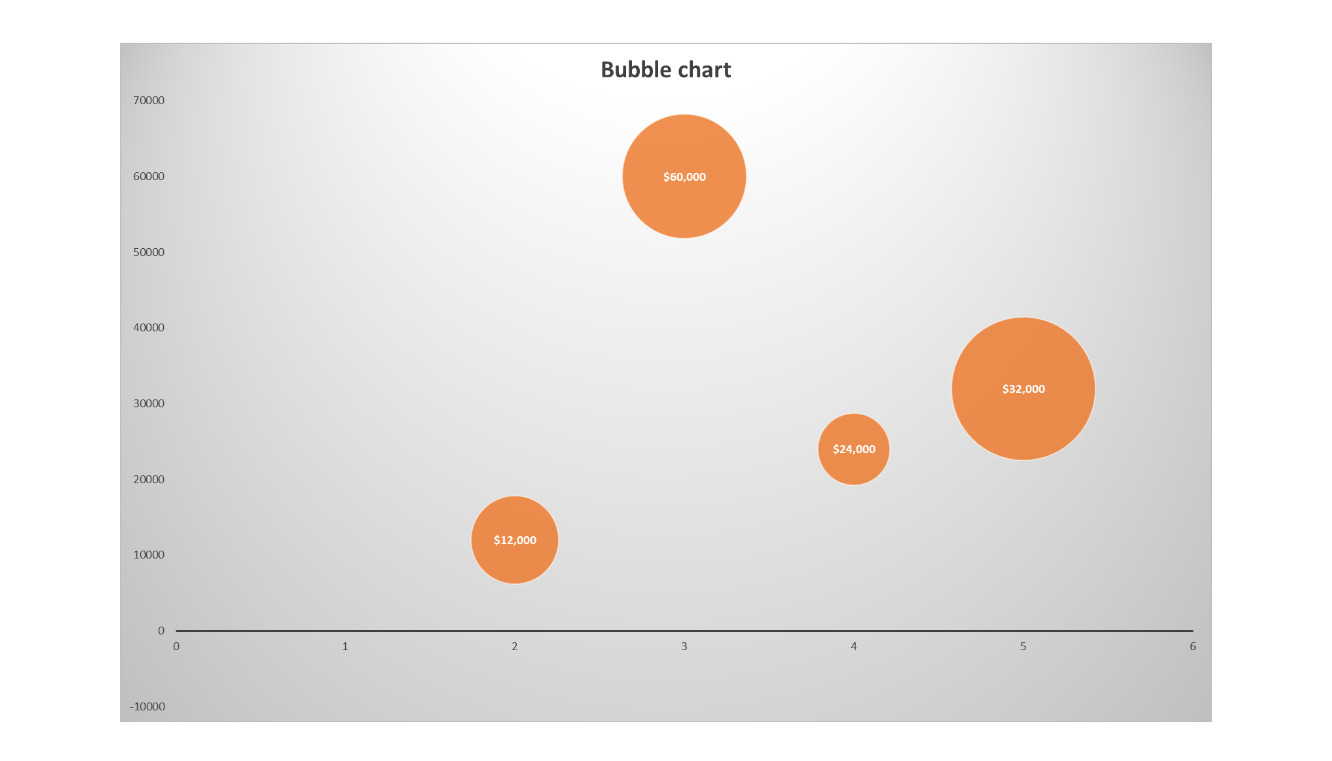
Bubble charts are the rock stars of showing three or four variables at once. You’ve got X, Y, bubble size, and often color. That’s four dimensions crammed into a 2D space. For someone dealing with complex data like comparing product sales (size) against profit margin (Y) and market penetration (X) across regions (color), a well-built bubble chart is a powerhouse. I’ve used them to identify outliers in customer churn datasets where one giant bubble in the bottom-left told a sadder story than any linear regression could.
But here’s the catch—bubble charts hate clutter. Seriously. If you have more than 30 bubbles, you’re entering fly-swatting territory. The human brain can’t easily compare areas of circles when they overlap. And they will overlap unless you use a force-directed layout or jittering. So, when choosing between bubble charts and treemaps for complex data, ask yourself: do I have fewer than 50 data points, and do I need to compare values across two continuous axes? If yes, go bubbles.
One more thing—bubble charts are terrible for hierarchical data. You can’t show a parent-child relationship inside a bubble without turning it into a nested nightmare. I once tried to use a bubble chart to show corporate structure by department and sub-department. The CEO looked at it and said, “Did you just draw my org chart with a handful of marbles?” He was right. That’s a job for the treemap.
Let me give you a quick real-world example. A client in logistics wanted to compare shipping times, freight costs, and damage rates across 20 distribution centers. I built a bubble chart. X-axis = average shipping time, Y-axis = cost per parcel, bubble size = number of shipments, color = damage rate. The insight? Two distribution centers in the Midwest were tiny bubbles with high damage rates and low costs—perfect candidates for process audits. They saved $2 million in six months. That’s the power of the right chart.
When to Use Bubble Charts (And When to Run Away)
Bubble charts are your best friend when:
- You have three to four continuous numeric variables to compare.
- The data set has fewer than 50 distinct entities.
- The story is about outliers, clusters, or correlations.
- You can ensure bubbles don’t obscure each other (use transparency or interactive tooltips).
They’re your worst enemy when:
- You have hierarchical data (e.g., countries > regions > cities).
- You need precise area comparison—humans are terrible at judging circle areas.
- Your audience is using a printed PDF—overlapping bubbles become ink blots.
One more pro tip: never, ever use 3D bubble charts. Ever. They distort perception and make you look like you’re trying too hard. Stick to 2D, and you’ll maintain credibility. In my experience, choosing between bubble charts and treemaps for complex data often comes down to whether your data fits neatly into a Cartesian plane. If it doesn’t, move on.
Why Treemaps Dominate for Hierarchical and Dense Data
Treemaps are the unsung heroes of high-density data. Think of them as the Tetris board of visualization—every rectangle fits perfectly, no overlap, no wasted space. A treemap is ideal when you have hundreds or thousands of leaf nodes nested within a few top-level categories. I’ve used them to show disk usage across servers (the classic example), but also for financial portfolio allocation, website traffic by page category, and even ingredient composition in food manufacturing.
The strength? Area encoding. A treemap lets you see relative size at a glance. If one rectangle is huge and dark red, you know immediately where the problem or opportunity lies. And because the layout is space-filling, you can pack massive amounts of complex data into a single view without scrolling. That’s gold for executive dashboards where real estate is precious.
But the weakness is just as critical: treemaps force you into a squarified layout. The ordering is algorithmic, not relational. You can’t easily compare values across different branches unless they’re side by side. And if you have a deep hierarchy (say five levels), the rectangles at the bottom become pixel-thin lines—totally unreadable. I’ve seen people try to cram a 10-level org chart into a treemap. The result looked like a grainy JPEG of a parking lot. Not helpful.
So when choosing between bubble charts and treemaps for complex data, treemaps win when you care about part-to-whole relationships, not XY positioning. They also win when you have a clear top-level category that your audience already knows. For example: “Here’s our sales by region (treemap). Now let’s drill down into each region’s product lines.” That drill-down capability is a killer feature in modern BI tools like Power BI and Tableau.
When to Use Treemaps (And When to Swerve)
Use treemaps when:
- Hierarchy is king. You have at least two levels of nesting (e.g., Category > Subcategory > SKU).
- Density is high. Over 100 items that need to fit on one screen.
- Area comparison is good enough. You don’t need pixel-perfect size judgments—relative difference is fine.
- Color encodes a second metric. Like profit margin or urgency—this turns the treemap into a heatmap hybrid.
Avoid them when:
- Your hierarchy is flat (just one level—use a bar chart).
- Your audience needs to compare values across separate branches—treemaps make that hard.
- You have a small number of items (fewer than 20)—it looks silly and underutilized.
I once built a treemap for a pharmaceutical company that had 1,200 SKUs across 12 therapeutic areas. The CEO scanned it in three seconds and pointed at a tiny red rectangle: “That’s our blockbuster allergy drug, and it’s losing margin.” The treemap turned a spreadsheet nightmare into a single glance. That’s the magic.
Head-to-Head: Bubble Charts vs Treemaps for Complex Data
Let’s get granular. I’ll lay out the key differences in a way that matters for real-world decision-making. Because honestly? You don’t have time to read a textbook. You need to know which hammer to pick.
Dimension capacity: Bubble charts handle up to four variables (X, Y, size, color). Treemaps handle two main variables (size and color) plus hierarchy depth. If you need to show a third continuous variable beyond size and color, bubble charts win. But if you need to show nesting, treemaps are the only game in town.
Perception accuracy: Humans are better at comparing lengths than areas. Treemaps rely on area (which is harder to judge) but they also position rectangles left-to-right, top-to-bottom, so you can roughly rank by size. Bubble charts rely on area even more, and overlapping bubbles make absolute comparisons almost impossible. So if precision matters, use a bar chart instead of either. But between the two, treemaps are slightly more accurate for rank-order.
Scalability: Treemaps scale beautifully to thousands of items (with proper color coding). Bubble charts fall apart after about 50 items. I’ve seen attempts to put 200 bubbles on a chart—it looked like a splatter of paint from a shaken can. No insight. Just noise. So if your dataset is huge, treemaps are your friend.
Storytelling potential: Bubble charts excel at revealing correlations and outliers. You can see at a glance: “All the big-profit products cluster here.” Treemaps are better at showing composition and hierarchy: “This category makes up 40% of the total, but within it, this subcategory is underperforming.” Your narrative should dictate the choice.
Let me give you a rule of thumb I’ve used for years: choosing between bubble charts and treemaps for complex data is like choosing between a scatter plot and a stacked bar chart. If your primary question is “Where do things fall relative to two metrics?” use bubbles. If your primary question is “What makes up the whole, and how do the pieces relate?” use treemaps. Simple as that.
Common Questions About Choosing Between Bubble Charts and Treemaps for Complex Data
Can I combine both bubble charts and treemaps in one dashboard?
Absolutely. In fact, that’s often the best practice. Use a treemap for the high-level hierarchy (e.g., by region), then let users click into a region to see a bubble chart that compares performance metrics across products. I’ve built many dashboards that way. The key is to make the interaction seamless—don’t cram them onto the same static screen or you’ll confuse the audience.
Which chart type is better for financial portfolio analysis?
For a complex data set like a portfolio with asset classes, sectors, and individual holdings, a treemap is usually better. You can show asset class (size) and performance (color) in one view. But if you also want to plot risk vs. return for each holding, a bubble chart on a drilled-down page is excellent. So, again, it depends on the layer of analysis.
How do I avoid overlapping bubbles in a bubble chart?
Use transparency (alpha blending) so overlapping areas show density. Alternatively, use a force-directed layout that pushes bubbles apart. But be careful—force layouts can distort spatial relationships. Another trick: use small multiples or a grid of bubble charts grouped by category. This is my go-to for more than 40 bubbles. It preserves the XY meaning while preventing visual clutter.
Are treemaps still effective when the data has many small values?
Yes, but only if you set a minimum size threshold. Otherwise, tiny rectangles (smaller than a few pixels) become noise. Most treemap implementations let you filter out items below a certain percentage of the total. Do that. I usually hide anything under 1% of the parent area, unless the user specifically chooses to show all. Also, use a consistent color legend so small items still convey information via hue.
What’s the biggest mistake people make when choosing between bubble charts and treemaps for complex data?
They ignore the audience’s context. I once saw a data scientist present a beautiful bubble chart to a board of non-technical investors. The bubbles showed market cap vs. revenue growth, but nobody understood why some bubbles were bigger than others. They needed a treemap that said “Here’s our largest competitors—this giant block is Apple.” Know your audience. If they’re not data fluent, treemaps often win because they feel more like a map than a math problem.