
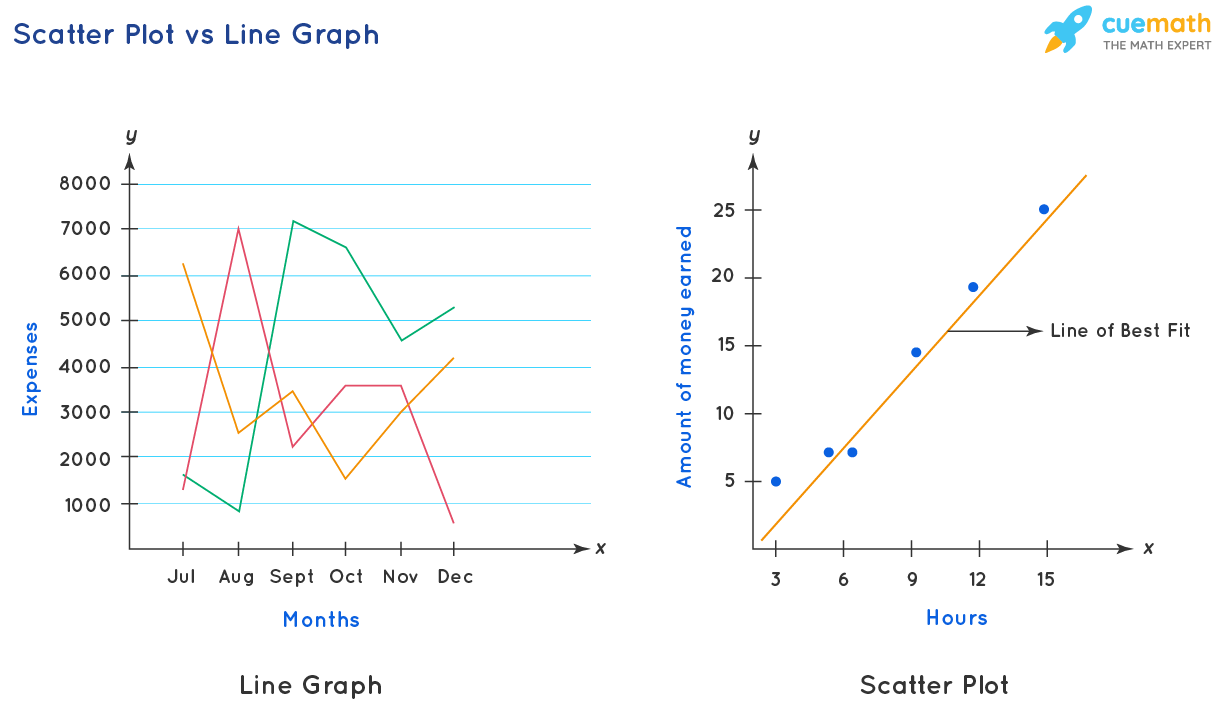
Line Graphs vs Area Charts for Representing Historical Trends
I once had a client who spent three hours building a beautiful area chart showing their company's revenue over the last decade. It looked stunning. Seriously, the gradient was perfect. Then they asked me to find the exact revenue for Q3 of 2017. We both stared at the chart for a solid minute, squinting, trying to separate the blue mass from the axis. We couldn't do it. A simple line graph would have answered that question in half a second. That moment stuck with me. It's the perfect example of why choosing between line graphs and area charts for representing historical trends isn't just about aesthetics. It's about honesty, clarity, and respect for your reader's time.
Look, both tools are time-series warriors. They both put time on the X-axis and a value on the Y-axis. They both show ups, downs, cycles, and plateaus. But they tell fundamentally different stories. The line graph whispers about relationship. The area chart shouts about volume. If you grab the wrong one, you're not just making a design choice. You're distorting the narrative of your data. Let's break down exactly when you should wield a line graph like a surgical scalpel, and when you should deploy an area chart like a broad brush.
The Core Difference: It's Not Just About Filling in the Color
The surface-level difference is obvious. A line graph shows a line. An area chart fills the space between that line and the baseline with color. But that simple fill does something profound. It creates a visual weight. Your brain doesn't just see a trend; it sees a shape, a mass, a chunk of something. This is powerful for some stories and disastrous for others.
Think of it like this. A line graph is a map of a journey. It shows the path, the direction, the speed of change. An area chart is a bucket. It shows how much stuff you've accumulated over time. That's a fundamental shift in perception. When you're representing historical trends, ask yourself one question first: "Am I trying to show the shape of the change, or the magnitude of the total?"
Honestly? Most amateur data viz creators default to the area chart because it looks "more filled in" and therefore "more complete." That's a trap. A chart that looks complete might actually be hiding the most important details. I've seen executives make million-dollar decisions based on the visual bulk of an area chart, only to realize later that the line graph told a much more nuanced story about volatility and seasonality.
The line graph excels when you have multiple data series. It allows for direct comparison. You can see Series A cross over Series B. You can spot when one trend accelerates while another decelerates. The area chart, on the other hand, starts to suffer when you add more than two or three series. The layers stack on top of each other, and the bottom layers become increasingly difficult to read. You get a visual mess.
Line Graphs: The Precision Instrument
When I need to communicate exact values and precise relationships over time, I reach for a line graph without a second thought. It's the cleanest way to represent historical trends when your audience needs to read specific data points. The line acts as a guide for the eye, moving from point to point with zero ambiguity. You don't have to guess where the baseline starts or ends because the line is the star of the show.
Consider stock market data. Showing daily closing prices over a year with an area chart would be borderline irresponsible. The fill adds visual noise. The eye would be drawn to the massive block of color at the bottom, rather than the subtle wiggle of the line at the top. Professional traders don't care about the filled area. They care about the peaks, the troughs, and the resistance levels. A line graph gives them exactly that. It's information-dense without being overwhelming.
Another perfect use case is comparing multiple categories with similar ranges. Say you're tracking page views, unique visitors, and bounce rates for a website over six months. Three line graphs overlaid on the same axes let you see correlations instantly. Did a spike in page views cause a dip in bounce rate? You can trace that relationship with your finger. An area chart would just turn those three series into a muddy, overlapping rainbow. You'd lose all the nuance.
The line graph also handles missing data with grace. If you have a gap in your historical record, the line simply breaks. It's honest. A human viewer sees the gap and understands something happened. An area chart handles gaps poorly. It often tries to interpolate the fill, creating a false sense of continuity. That's dangerous when you're trying to be precise about historical trends. Trust the line. It's the honest broker.
Area Charts: The Narrative Amplifier
Now, let's give the area chart its due. When your primary goal is to emphasize the magnitude of a change or to show a part-to-whole relationship over time, nothing beats it. The area chart is a storytelling machine. It uses visual hierarchy to say, "Look how big this thing got. Look how much it grew." The filled space creates an emotional punch that a simple line just can't deliver. It's visceral.
Imagine you're presenting the growth of a social media platform from its launch to its IPO. A line graph would show the growth perfectly. But an area chart would show the accumulation of users. The filled area gets thicker and thicker, visually representing the snowball effect. The audience doesn't just see the trend; they feel the weight of the community. That's the power of the fill. It transforms data from an abstract idea into a tangible object.
Where the area chart truly shines is in stacked form. Stacked area charts are fantastic for showing how different components contribute to a whole over time. Think of a company's revenue breakdown by product line. The top line shows total revenue. The bands underneath show how much each product contributed. You can see instantly when a new product took over as the primary revenue driver. The visual layering tells a complex story in a single glance.
But here's the catch. Never, ever use a stacked area chart for more than about five categories. More than that, and the bands at the bottom become terrifyingly thin and unreadable. You're better off using a series of small multiples or a different chart type altogether. A good rule of thumb is this: if you're more interested in the trend of the total than the individual parts, go with a simple area chart. If you need to compare the individual parts precisely, go with the line graph.
When One Completely Outshines the Other for Historical Trends
This is where I see people make the most expensive mistakes. They get attached to a chart type because it looks "cooler" or because their boss likes the color fill. But the data has its own demands. You have to listen to it. There are specific scenarios where the choice between these two is not a gray area. It's a binary, clear-cut decision. Ignore these rules at your peril.
Let me give you the shortlist. If you are dealing with cumulative data, like total sales year-to-date, an area chart is your best friend. The rising fill naturally suggests accumulation. If you are dealing with non-cumulative data, like monthly sales, a line graph is almost always better. The area chart would make the monthly fluctuations look like huge mountains and valleys, overemphasizing the variation. You want the line to show the rhythm, not the bulk.
Here are three concrete scenarios to guide your choice:
- Scenario 1: Comparing rate of change. If you want to show that sales grew faster in Year 2 than in Year 1, use a line graph. It allows for slope comparison. Two line graphs on the same axes let you see which line is steeper instantly.
- Scenario 2: Emphasizing a single, dominant trend. If you have one data series and you want to highlight the sheer volume of growth ("Look at how much inventory we moved!"), use an area chart. The fill amplifies the message.
- Scenario 3: Overlapping negative and positive values. Avoid area charts here like the plague. If your data crosses the zero line, the fill on one side looks like a pool, and the other side looks like a gap. It's visually confusing. Use a line graph to cleanly show the trajectory above and below the baseline.
- Use a Line Graph when: Precision matters, multiple series need comparison, data has gaps, or values cross zero.
- Use an Area Chart when: Magnitude needs emphasis, there is a single series or a few stacked series, the story is about accumulation, and you want emotional impact.
- Avoid Area Charts when: You have more than 3-4 series, the baseline is non-zero, or your audience needs to read exact values from the plot.
The Visual Trap: Overlapping Data and the 'Mud' Problem
I promised you honesty. Here it is. The single biggest sin I see with area charts for historical trends is the 'mud' problem. You stack three or four series on top of each other, and the bottom layers become invisible. It literally looks like mud. The top series gets all the attention, and the series that might be the most interesting is buried at the bottom. This is a lie by omission. You are not representing historical trends for the bottom series. You are hiding them.
The solution is painful but simple. Use transparency, and use it sparingly. A 30-40% opacity on the fill allows some of the back layers to peek through. But even then, you lose precision. A better solution is to simply not use a stacked area chart if the individual series are the point of the story. Use a small multiple of line graphs instead. It takes up more space, but it tells the truth. Your audience deserves the truth.
Another trap is the non-zero baseline. Area charts are incredibly sensitive to where you start the Y-axis. If you start at zero, the fill is proportional. But if you start the axis at 500,000 to make the trend look dramatic, you are creating a visual lie. The fill will look massive even for small changes. With a line graph, this manipulation is slightly less egregious because the line still shows the true path. With an area chart, a truncated axis is data manipulation, plain and simple.
My final piece of advice on this is simple. Before you publish any chart, print it out in black and white on a cheap printer. If you can't tell what the story is, neither can your audience. The line graph will usually survive this test. The area chart will often turn into a solid black blob. That's your sign to reconsider. The goal is communication, not decoration.
Common Questions About Line Graphs vs Area Charts for Representing Historical Trends
What is the main advantage of a line graph over an area chart for historical data?
The main advantage is precision. A line graph allows for much easier comparison of multiple data series, clearer identification of individual data points, and a more honest representation of the slope or rate of change. It avoids the visual clutter and potential distortion caused by the filled area.
Can you use an area chart for negative values?
Technically, yes, but I strongly advise against it. The filled area below zero creates a visual asymmetry that is difficult for the brain to process quickly. It often looks like a gap or a hole, which can be confusing. A line graph handles negative values with much more clarity, as the line simply extends below the baseline.
What's the 'ink-to-data ratio' and why does it matter here?
The ink-to-data ratio is a concept from Edward Tufte. It means you should use the minimum amount of ink (or pixels) necessary to communicate the data. An area chart uses a lot of ink to fill the space under the line. That ink often communicates nothing useful and can actually obscure information. A line graph has a much higher ink-to-data ratio, making it more efficient for precise communication of historical trends.
Should I ever use a 3D area chart for historical trends?
No. Please, no. The perspective distortion in a 3D chart makes it impossible to read exact values. The front row of data blocks the back row. It adds zero informational value and subtracts significant clarity. It's a gimmick. Stick to 2D line graphs or area charts.
How do I handle overlapping data series in an area chart?
You have two options. One, use a stacked area chart to show the total and the component parts. Two, use transparency (opacity around 20-40%) so the overlapping areas create new colors. However, if you need to compare the individual series precisely, abandon the area chart entirely and switch to a line graph with distinct colors and markers. Overlap is the area chart's biggest weakness.
Line helps in everyday moments when you need to message someone, jump on a quick call, or share updates with a group. Download line now and stay close with your. Line is a new communication app which allows you to make free voice calls and send free messages whenever and wherever you are, 24 hours a day. Line is transforming the way people communicate, closing the distance between family, friends, and loved ones—for free. Line business id © ly corporation Line is new level of communication and the very infrastructure of your life. With voice and video calls, messages, and a limitless variety of. More than just a messenger app. Download line by line corporation on the app store. It fits casual conversations as well as busy coordination with.