
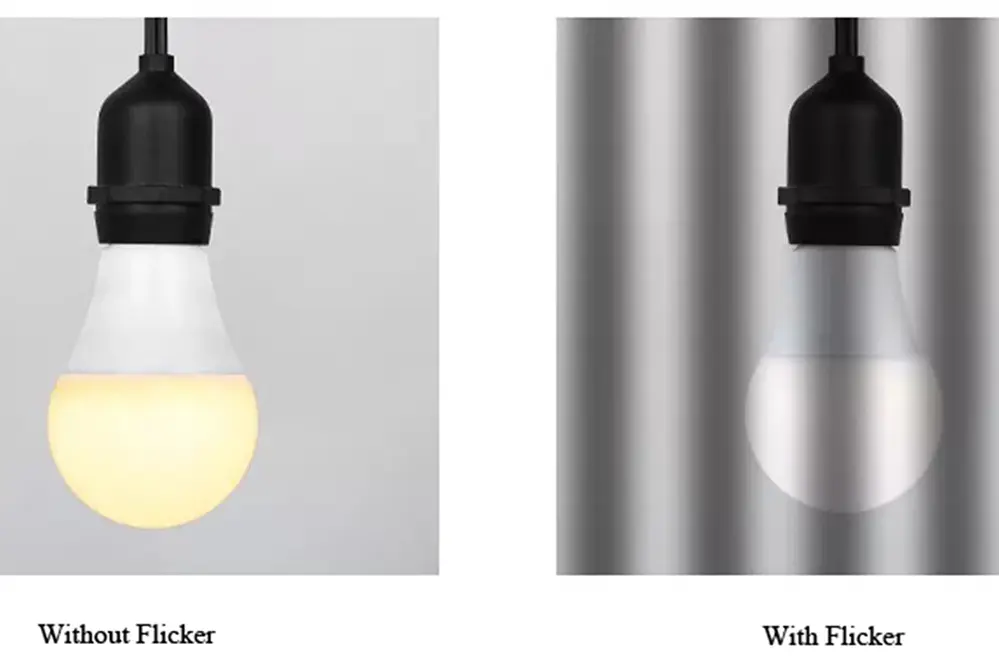
Why LED Lights Cause Banding and How Anti-Flicker Helps
I remember the first time I saw it: a perfectly framed interview shot, beautiful soft key lighting from a brand-new LED panel, and then—boom—ugly dark horizontal stripes rolling across the subject's face like some kind of digital disease. I spent two hours troubleshooting cables, swapping batteries, and questioning my life choices before I realized the problem wasn't my gear at all. It was the lights.
You've seen it too, probably. That weird, scanning-line effect in your video footage, or those strange dark bands across a photo you took indoors under modern lighting. It's frustrating. It's unprofessional. And honestly? It's completely preventable once you understand what's actually happening.
Let's tear this problem apart, once and for all.
The Technical Culprit: It's Not the Light, It's the Pulse
Here's the dirty little secret about most LED lights on the market today: they don't actually stay on all the time. Seriously. That soft, continuous glow you see with your eyes? It's a lie. A very fast, very clever lie.
Pulse Width Modulation (PWM) and Your Camera Shutter
Most consumer and even many prosumer LED fixtures use a technique called Pulse Width Modulation (PWM) to control brightness. Instead of dimming the light smoothly (which is harder and more expensive to engineer), the light simply turns on and off hundreds or thousands of times per second. Your eye sees the average brightness, so it looks constant. Your camera sensor, however, sees the reality.
Here's the problem in its purest form: banding occurs when the frequency of the LED flicker doesn't sync up with your camera's shutter speed or frame rate. Think of it like two drummers playing different rhythms. Every time your rolling shutter scans across the sensor, the LED may be in a different phase of its on-off cycle. One scan line catches the light ON. The next scan line catches it OFF. Congratulations—you've just created a stripe.
It gets worse when you consider that many LED drivers are cheaply built. They don't maintain a consistent frequency. Temperature changes, voltage fluctuations, even just aging components can cause the pulse rate to drift. That's why you might see banding in half your shots but not the other half, with no apparent rhyme or reason.
The Frequency Dance: Mismatched Rhythms
Look—the grid power in your wall operates at a specific frequency: 50Hz in most of the world, 60Hz in North America. Your camera has settings to match that, usually called something like "flicker reduction" or "anti-flicker." But LED lights don't always follow that grid frequency. They have their own internal oscillators, and those oscillators are often garbage.
I've tested cheap studio LED panels that pulsed at 120Hz, 180Hz, and one particularly awful unit that seemed to change frequency every time I touched the dimmer dial. You can't fix that kind of chaos with a simple camera setting. It's a total mismatch.
The real kicker? Your eyes can't see the flicker. Most PWM runs above 100Hz, which is beyond human perception. So you set up the shot, everything looks perfect, and only when you review the footage do you realize you've been sabotaged. It's enough to make you want to throw your camera into a river.
How Anti-Flicker Technology Actually Works (And Why It's Not Magic)
So what does anti-flicker technology actually do? It's not a magical fix-all button. It's a specific, engineered solution that addresses the root cause of LED banding .
Phase Detection vs. Frequency Lock
Modern anti-flicker systems, whether built into your camera or into the lights themselves, work by solving one of two problems:
First, phase detection . The camera analyzes the incoming light waveform, identifies the exact moment the LED is at its brightest, and syncs the shutter to open precisely at that peak. This works great if the light has a stable, predictable cycle. But if the light's frequency drifts? The camera has to constantly re-sync, which introduces latency and sometimes misses the mark entirely.
Second, and far more effective, is frequency lock . Some high-end LED fixtures (and the anti-flicker controllers that attach to them) allow you to directly set the PWM frequency to match your camera's shutter speed. You tell the light: "I'm shooting at 1/50th of a second at 24fps." The light responds: "Got it. I'll pulse at exactly 100Hz, perfectly in phase."
This is the gold standard. It's not cheaper. It requires better components, more precise engineering, and often a separate control interface. But it eliminates banding almost entirely.
Auto Shutter Calibration: The Unsung Hero
Some newer camera bodies have gotten smart about this. They include a feature that automatically adjusts the shutter speed slightly to match the detected flicker frequency of the ambient LED lighting .
Here's the catch: this only works within a narrow range. If your LED lights are pulsing at 110Hz and your camera tries to sync to 60Hz grid frequency, the calibration will fail. The camera will hunt, the shutter speed will fluctuate, and your exposure will become inconsistent.
That's why I always advise photographers and videographers to never rely solely on camera-based anti-flicker . It's a band-aid, not a cure. The real solution starts at the light source.
Real-World Fixes: Anti-Flicker in Action
Alright, enough theory. Let's talk about what you actually do when you walk onto a set or into a room and see banding .
For Videographers: Shutter Angle and Sync
- Use a shutter angle of 180 degrees. This is your baseline. It gives you a natural motion blur and a predictable exposure window. - Match your shutter speed to the flicker frequency. At 24fps, use 1/50th (in 50Hz regions) or 1/60th (in 60Hz regions). This creates a "longer" exposure window that averages out the pulses. - Enable your camera's flicker reduction mode. It's not perfect, but it's a starting point. Test it immediately on set. - If banding persists, change your frame rate. Sometimes dropping to 23.976fps or bumping to 30fps changes the timing enough to dodge the problem.
For Photographers: Burst Mode and Hybrid Shutters
- Use electronic shutter carefully. Rolling shutter exacerbates LED banding because the scan takes time. A slow scan catches multiple on-off cycles. - Switch to mechanical shutter. The mechanical curtain moves faster than most electronic scans, reducing the visible banding effect. - Use burst mode. Fire off a quick burst of 3-5 frames. The timing of the shutter opening relative to the LED pulse changes slightly with each shot. One of those frames will almost certainly be clean. - Adjust shutter speed in small increments. Try 1/60th, then 1/80th, then 1/100th. Watch the banding shift and disappear as you hit the sweet spot.
I cannot stress this enough: test before you shoot. Take a photo, zoom in, check for stripes. It takes ten seconds and saves hours of post-production misery.
The Common Misconception: "My Lights Don't Flicker, I Don't See It"
I hear this all the time. A gaffer swears their LED panels are flicker-free. They've been using them for years. Never had a problem.
They're wrong. Or rather, they've been lucky.
The "Film Look" Trap
Cheap LED lights often have a flicker rate high enough to fool the human eye but not high enough to fool a modern sensor with a fast shutter speed. Shooting at 1/1000th of a second? You're capturing a fraction of a single PWM cycle. The longer your exposure, the more the pulses average out. The shorter your exposure, the more you see the individual pulses.
This is why banding shows up most often in high-speed photography or in video shot with a fast shutter. You're essentially "freezing" the flicker in the frame.
Why High-End Fixtures Still Band
Even expensive, professional-grade LED fixtures can cause banding under the right (wrong) conditions. Here's the short list of reasons why:
1. Multi-driver configurations. A single light might use multiple PWM drivers for different color channels. If those drivers aren't perfectly synchronized, you get beating frequencies. 2. Dimmer curve inconsistencies. When you dim the light, the PWM duty cycle changes. The frequency might remain stable, or it might shift. 3. Wireless control interference. DMX signals or RF remote receivers can introduce timing jitter that throws off the pulse rate. 4. Thermal drift. After an hour of operation, the internal components heat up, and the oscillator frequency can drift by 5-10Hz.
The solution? Invest in fixtures that advertise "flicker-free operation at all frame rates" or "high-frequency PWM above 1kHz." These use more sophisticated drivers and higher switching speeds that effectively eliminate the visible banding problem.
Common Questions About Why LED Lights Cause Banding and How Anti-Flicker Helps
Can I fix LED banding in post-production?
Partially, but it's a pain. You can use software like DaVinci Resolve or Adobe Premiere's deflicker tools to smooth out the brightness variations. However, this often introduces artifacts, softens the image, and never fully recovers what was lost. Prevention is always, always better than post-production correction.
Do all LED lights cause banding?
No. Fixtures that use true constant-current drivers (no PWM) or those that switch at extremely high frequencies (above 2-3kHz) are effectively flicker-free. You pay more for these, but if you shoot video professionally, it's a non-negotiable investment.
Does anti-flicker mode on my camera reduce image quality?
In most cases, no. It simply adjusts the timing of the shutter release. However, some cameras limit your shutter speed options when flicker reduction is enabled, which can restrict your creative choices. On rare occasions, the correction algorithm can introduce slight exposure inconsistencies between frames in burst mode.
Why don't LED manufacturers just make all lights flicker-free?
Money and heat. High-frequency drivers are more expensive to design and manufacture. They also generate more heat because the switching components work harder. For a $50 consumer lightbulb or a cheap studio panel, the manufacturer assumes you won't notice. And most people don't. But you do now, and you can't un-see it.
Is banding worse with budget LEDs or expensive ones?
Surprisingly, budget is not always the problem. Some high-end cinematic LED lights from brands like ARRI or LiteGear are built with flicker-free guarantees. Conversely, I've seen $2000 RGB panels from lesser-known brands that had terrible banding issues because the color mixing firmware was poorly written. You have to check the specifications, not just the price tag.