
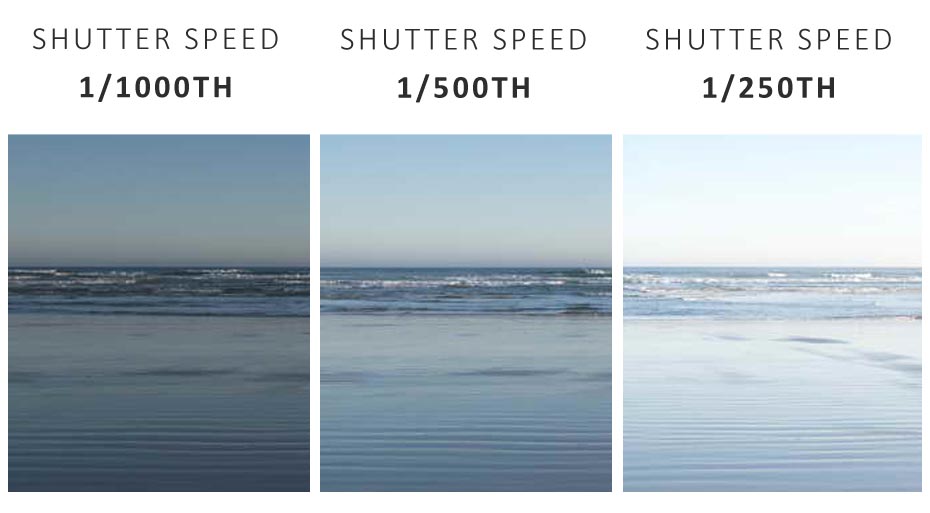
Comparing Shutter Speeds for Slow Motion vs Real-Time 60fps
I remember the exact moment I screwed this up. I was shooting a product launch video—some fancy new sneaker—and I wanted that silky, cinematic slow motion of the shoe landing on the pavement. I set my camera to 60fps, cranked the shutter speed to 1/500th because I was terrified of motion blur, and hit record. The result? The slow motion looked like a series of stroboscopic flipbook frames. It was choppy. It gave people headaches. And my client, a suit from marketing, just stared at the monitor and said, “It doesn’t feel like a video. It feels like a slideshow.”
That failure taught me something critical: comparing shutter speeds for slow motion vs real-time 60fps isn’t just a technical checkbox. It’s an artistic choice that dictates the very rhythm of your footage. Get it wrong, and you’re either drowning in blur or starving for motion. Get it right, and your footage breathes.
Honestly? There’s more confusion around this single topic than almost any other in video production. People think 60fps is one monolithic beast. It isn’t. Real-time playback demands one set of rules. Slow motion demands another. And the shutter speed is the lever that makes or breaks both.
The Golden Rule Everyone Gets Wrong (Including Me)
You’ve heard the 180-degree rule, right? The “standard” says you double the frame rate to get your shutter speed. Shoot 24fps? Use 1/48th or 1/50th. Shoot 30fps? Use 1/60th. For 60fps, that lands you at 1/120th of a second. That’s fine for real-time playback. But here’s the problem—everyone applies that rule blindly to slow motion, and it doesn’t always fit.
Look—the rule exists to create natural motion blur. That blur is what makes movement feel smooth to the human eye. When you slow down 60fps footage to 24fps in post (a 40% speed drop), you are literally stretching time. If you shot at 1/120th, you get 1/120th of a second of blur per frame. In slow motion, each of those frames is visible for longer. That’s fine for most action, like a person walking or a car turning. But for fast, abrupt motion? It can look disconnected.
I’ve seen shooters argue that you should crank the shutter speed higher for slow motion—1/500th, 1/1000th—to avoid “mushiness.” And they’re right, in a very narrow, specific context. High-speed shots of a hummingbird’s wings? Yes. A dancer’s spin? No. The real art is understanding when the 180-degree rule serves you and when it betrays you.
Seriously, the number one question I get at workshops is: “But if I use a faster shutter speed for slow mo, won’t I lose the film look?” My answer is always: “Define film look. Do you mean 1920s Keystone Cops? Or do you mean modern cinema?” Every shutter speed is a choice. Not a rule.
Real-Time 60fps: The Forgotten Middle Child
Most people obsess over slow motion and forget that 60fps played back at 60fps is a completely different animal. It’s the default for sports broadcasts, live events, and a lot of YouTube content. The shutter speed for real-time 60fps actually follows the 180-degree rule quite reliably. Stick with 1/120th and you get clean, fluid motion that doesn’t judder or strobe.
But here’s the kicker: real-time 60fps hates high shutter speeds. If you shoot a football game at 1/2000th in 60fps, the ball looks like it’s teleporting across the field. The motion loses weight. It loses inertia. Real-time playback depends on that blur to connect each frame to the next. Without it, your footage feels hyper-real. Sterile. Like a video game render that hasn’t finished loading.
I once had a gig shooting a live music performance. The guitarist was shredding—fast fingers, percussive strumming. I thought, “I’ll use 1/500th to freeze every pick stroke.” At 60fps real-time, it looked like he was having a seizure on stage. The motion was so crisp it became incomprehensible. We had to re-shoot the whole segment at 1/120th. Lesson learned: real-time 60fps demands a shutter speed that embraces blur, not fights it.
If you’re shooting for immediate playback—say, a live stream or a monitor feed—don’t overthink it. 1/120th is your baseline. Adjust only if you have a specific visual reason. And that reason should never be “I want it sharper.” Sharpness in frame rates is a lie we tell ourselves.
Slow Motion 60fps: The Art of Stretching Time
When you take that same 60fps footage and slow it down to 24fps or 30fps, everything changes. Now, each frame is on screen for roughly 40 milliseconds instead of about 16 milliseconds. That means the shutter speed you chose is now amplified in its effect. A slow shutter speed like 1/60th (which violates the 180-degree rule for 60fps) creates dreamy, overlapping blur. A fast one like 1/500th creates crisp, individual moments.
I shoot a lot of nature and lifestyle content. For a slow-motion shot of a woman’s hair spinning in sunlight, I deliberately use 1/60th at 60fps. Yes, I said that. The rule says use 1/120th. But at 1/60th, each frame gets double the exposure time. The motion blur builds into this gorgeous, trailing softness. It feels like memory. It feels like emotion. Slow motion is a feeling, not a measurement.
On the flip side, for a product shot of a ceramic mug shattering on concrete, I use 1/1000th. I want to see every individual shard. I want the sharp, crystalline break. That hyper-crisp slow motion communicates fragility and violence at the same time. Comparing shutter speeds for slow motion vs real-time 60fps is really about asking: “What emotion am I trying to stretch?”
Don’t forget exposure consequences, by the way. Crank the shutter to 1/1000th and you’re starving the sensor for light. You’ll need big apertures or bright lights. Shoot at 1/60th in bright daylight and you’ll clip your highlights like a bad haircut. These aren’t just creative choices—they’re physical constraints. Know your camera’s base ISO. Know your ND filters. This is where the art meets the grind.
Practical Settings for Real-World Shooting
Let’s get specific. I’m going to give you my go-to starting points for comparing shutter speeds for slow motion vs real-time 60fps. These aren’t hard rules, but they’ll save you from my sneaker-video disaster. Use these as a springboard.
- Real-time 60fps (playback at 60fps): Set shutter speed to 1/120th. This is your neutral, safe, reliable base. Adjust for exposure with aperture or ND. Do not speed up your shutter to “sharpen” the image.
- Slow motion 60fps (stretched to 24fps): Start at 1/120th for general action. If motion looks too soft (like a running dog’s legs turning into sausages), bump it to 1/250th. If it stutters, drop it to 1/60th.
- High-speed impact (glass shattering, water splash, fist punch): Go to 1/500th or 1/1000th at 60fps. Accept that you’re sacrificing the “cinematic blur” for hyper-clarity. This is a stylistic trade-off, not a mistake.
- Emotional/ambient slow mo (wind in trees, candle flicker, people laughing): Experiment with 1/60th to 1/100th. The extra blur adds a painterly quality that standard shutter speeds can’t touch.
Another trick: If you’re shooting slow motion for social media—say, Instagram Reels or TikTok—remember that those platforms often default to 30fps playback. Your 60fps slowed to 30fps is a 50% speed drop, not 40%. That changes the feel of the motion blur. For social, I actually prefer a slightly faster shutter speed, around 1/160th, to keep the image from looking muddy on small phone screens.
And for the love of God, monitor your footage on set. The camera’s LCD lies. It looks great blown up on a 3-inch screen. Put it on a proper monitor, or even your laptop preview, and you’ll see the strobing you missed. I carry a small 7-inch field monitor specifically because the difference between 1/120th and 1/250th in slow motion is invisible on the camera back but obvious on a proper display.
The Optical Illusion You Didn’t Ask For
Here’s something weird: comparing shutter speeds for slow motion vs real-time 60fps is actually an exercise in managing the human brain’s perception of time. Our eyes don’t see in frame rates. We see in continuous motion. Cameras chop that motion into slices. The shutter speed is the thickness of each slice.
When you slow down a 60fps clip shot at 1/120th, the brain says, “That feels like a memory.” It’s slightly soft, slightly dreamy, because the slices overlap. When you shoot at 1/500th, the slices are razor-thin. The brain says, “That feels like a dream where I’m hyper-aware.” Both are valid. Neither is “wrong.” The mistake is assuming there’s one correct answer.
I’ve had cinematographers argue with me that you must never break the 180-degree rule for slow motion. I tell them about a scene from a major studio film—I won’t name it—where the DP shot a rainstorm at 60fps with a shutter speed of 1/30th. The rain became these long, ethereal white streaks. The audience felt the emotional weight of the storm, not the technical precision of the raindrops. It worked because the story demanded it.
Your story demands something too. Is it a sneaker hitting pavement? Or is it a moment you want the audience to feel in their bones? That question will tell you more about shutter speed than any chart or rule ever will.
Common Questions About Comparing Shutter Speeds for Slow Motion vs Real-Time 60fps
Can I use the same shutter speed for both real-time 60fps and slow motion?
Technically, yes. Practically, no. If you shoot at 1/120th, it works for real-time playback (60fps) and for a moderate slow-motion speed drop (40% to 24fps). But if you slow it down to 20% speed, 1/120th might feel too blurry or too sharp depending on the motion. The shutter speed should match your intended playback speed, not your recording frame rate.
Does a higher shutter speed always ruin slow motion?
Not at all. It changes the character. For fast, violent motion (punches, breaking glass, quick animal movements), a higher shutter speed like 1/500th adds a dramatic, hyper-real clarity. For smooth, flowing motion (dance, water, hair), it looks staccato and robotic. It’s a tool, not a poison. Use it intentionally.
Why does my 60fps slow motion look choppy even at 1/120th?
Two common culprits. First, you might be dropping frames during editing. Make sure your timeline is set to 24fps or 30fps and that you’ve interpreted the footage correctly. Second, the motion itself might be too fast for the shutter speed you chose. A hummingbird at 1/120th will still look strobed because the wings move faster than the shutter can capture. You need a faster shutter speed or a higher frame rate (like 120fps or 240fps).
Is 60fps always considered slow motion?
Only when played back at a lower frame rate. If you shoot 60fps and play it at 60fps, it’s real-time. That’s actually a common misconception. “60fps is slow motion” is a workflow shortcut, not a technical truth. The shutter speed behavior changes entirely based on your playback speed.
What about using 60fps for both slow mo and real-time in one project?
You can, but you’ll have to pick a compromise shutter speed. 1/120th is the safest middle ground. Your real-time footage will look fluid, and your slow motion at 40% speed will look natural. For extreme slow motion (20% speed), the compromise might look too soft. In that case, shoot separate clips with different shutter speeds. It’s worth the extra effort.
Plus, access our full suite of learning resources. Log in to access your profile, learning progress and cases. Start a free trial today. Similarly, when you log out of one, xero also logs you out of the other. Ensuring uninterrupted access to xero is crucial for managing your business finances. Xero software connects you to your bank, accountant, bookkeeper, and other business apps. Xero software for small businesses connects you to your bank, accountant, bookkeeper, and other business apps. If you log in to xero or xero central, you're automatically logged in to the other, as long as you use the same browser for both. Welcome to xero, if you don't have an account, try xero for free. Learn everything xero can do by completing a course or certification.