
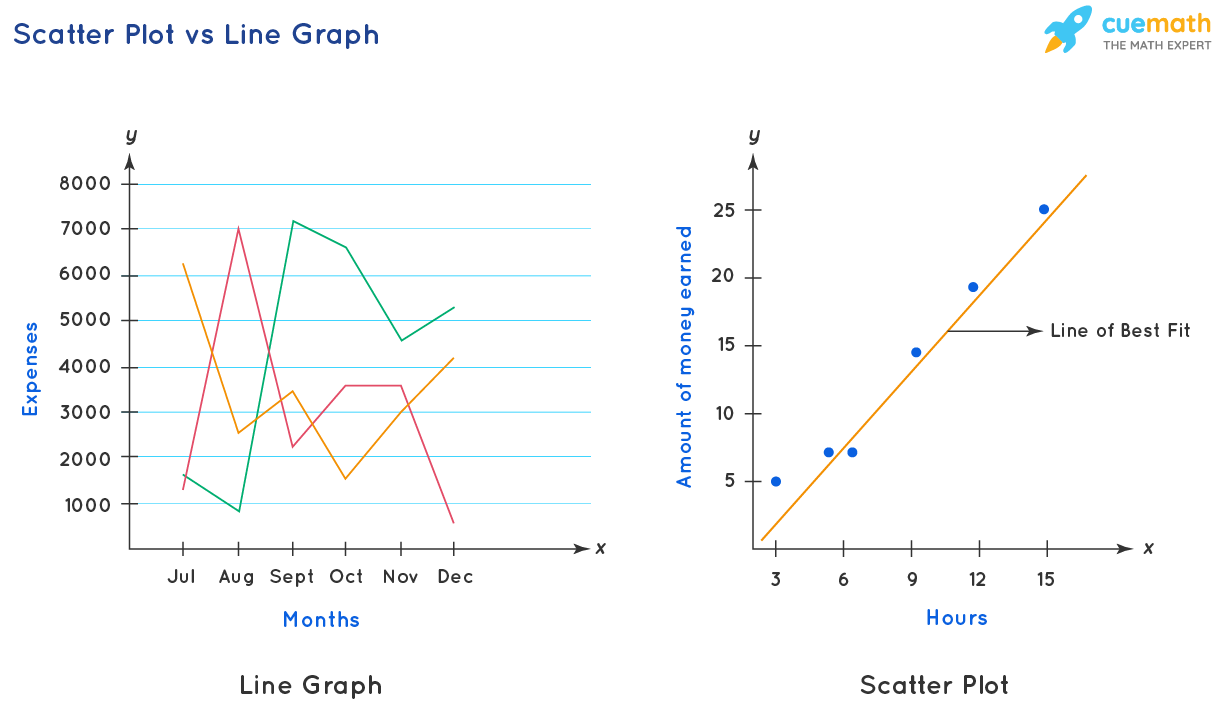
Scatterplots vs Bar Graphs: Why Scatterplots Show Better Correlation
I once watched a product manager lose a promotion over a bar graph. Seriously. She had spent weeks analyzing customer churn rates across five subscription tiers. The bar graph looked beautiful—color-coded, clean labels, perfect spacing. It showed a gradual increase in churn as the price went up. She presented it to the VP, who nodded, asked two questions, and then tore it apart because the correlation wasn't actually there. The problem? She had grouped continuous data into arbitrary buckets. The bar graph made it look like a trend existed when, in reality, the data was a scattered mess. She built her entire strategy on a visual lie.
Bar graphs aren't evil. They're just woefully under-equipped for the job of showing relationships between two continuous variables. Look—I've been building data visualizations for over a decade, and I still see executives confuse "a bar going up" with "a strong correlation." It's not their fault. The tool shapes the thinking. If you hand someone a hammer, everything starts looking like a nail. If you hand them a bar graph creator, suddenly every dataset looks like it belongs in discrete categories. But the real world doesn't work that way. Prices, temperatures, response times, revenue figures—these are continuous measurements. And when you try to force them into bars, you lose the nuance that makes correlation visible in the first place.
When Good Data Goes Bad
The Classic Mistake of Aggregating Before You Visualize
The most common trap I see is the "average trap." A team collects 500 data points. They want to compare revenue against customer satisfaction scores. Instead of plotting every single customer, they calculate the average satisfaction per revenue bracket and present it as five bars. On the surface, the bar graph comparison looks clean. Bar one: low revenue, 3.2 satisfaction. Bar two: medium revenue, 3.8 satisfaction. Bar three: high revenue, 4.1 satisfaction. The implication is obvious—more revenue means happier customers.
But here's the ugly truth: averaging destroys individual variance. Those five bars could represent five very different data distributions. Maybe the high-revenue segment has a bimodal distribution—half are ecstatic, half are furious, and the average just hides the conflict. Or maybe the low-revenue segment has one outlier dragging the average down. Without seeing the raw points, you're guessing. And guessing is not analysis.
Honestly? I've seen this exact mistake cost a company about $40,000 in bad inventory decisions. They used bar graphs to compare sales velocity across product categories. The bars showed a nice upward trend. But a scatterplot would have revealed that the so-called "growing" category had massive weekly fluctuations and actually flat correlation. They overstocked. They lost money. All because someone clicked the wrong chart icon.
The Scatterplot Truth About Averages
A scatter plot vs bar chart isn't really a contest of aesthetics. It's a contest of truthfulness. A scatterplot takes every single data point and puts it on a plane. You can see the density. You can spot outliers. You can detect non-linear relationships that a bar graph will never show you because bars only communicate height, not spread.
Think about it this way: a bar graph is like looking at a forest from an airplane. You see the shape of the tree line, but you miss every individual tree. A scatterplot is like walking through the forest. You see the twisted oaks, the dead pines, the clusters of saplings. You see the full picture. And when you're trying to understand correlation visualization, you need that ground-level view. Correlation is about the relationship between two variables across all their values. You cannot summarize that relationship into five bars without losing critical information.
The Core Issue: Categories vs. Continuous Variables
Bar Graphs Force Round Pegs into Square Holes
Bar graphs were designed for one thing: comparing distinct categories. Apples vs. oranges. Q1 sales vs. Q2 sales. Male vs. female. These are discrete buckets where each bar represents a separate, non-continuous entity. The design works because the gap between bars signals "these things are not connected." And that's fine for categorical data. But the moment you try to use a bar graph for correlation, you run into trouble because the bars imply separation, while correlation implies connection.
Let me give you a concrete example. You're studying ice cream sales and temperature. Real data from a real shop over 90 days. You could group temperatures into ranges: 50-60°F, 60-70°F, 70-80°F, 80-90°F. Four bars. The bar graph shows sales increase with temperature. Good enough, right? Wrong. Within the 70-80°F range, you might have wildly different sales based on humidity, day of the week, or whether there was a heatwave. The bar hides all of that. A scatterplot analysis would show you the relationship is actually curvilinear—sales plateau above 85°F because it's too hot to be outside. The bar graph would trick you into thinking the trend continues upward linearly.
The distinction between categories and continuous variables is fundamental. It's not a stylistic choice. It's a mathematical one. If your x-axis represents something that can be measured on a continuum—time, money, distance, score—you owe it to your audience to use a scatterplot. Otherwise, you're misrepresenting the very nature of the data.
Scatterplots Respect the Data's True Shape
Scatterplots vs bar graphs isn't about which is prettier. It's about which one lets the data speak without censorship. A scatterplot shows you the relationship between variables in its raw, unaggregated form. You can literally see the pattern emerge. Positive correlation? The points form a cloud going up and to the right. Negative correlation? Down and to the right. No correlation? A random blob. Non-linear? A curve. You can't fake that with a bar graph because bars impose a linear structure on everything.
I once had a client who insisted on using bar graphs for a clinical trial dataset. They had 2,000 patient records with dosage amounts and recovery times. The bar graph showed a neat downward trend—more dosage, less recovery time. But when I built a scatterplot underneath it, the truth was horrifying. The relationship was U-shaped. Patients on very low doses recovered quickly. Patients on moderate doses recovered slowly. Patients on high doses recovered quickly again. The bar graph had averaged the U-shape into a straight line. The client nearly made a dosing recommendation that would have hurt patients. That's the weight of this choice.
Visual Noise vs. Visual Signal
What Correlations Actually Look Like
A strong correlation isn't a smooth line. It's a tight cluster of points. It's a swarm. And the only way to see the swarm is through a scatter plot correlation visualization. The human eye is remarkably good at detecting patterns in dots. We can spot outliers, clusters, gaps, and trends within seconds. But our pattern-recognition system breaks down when you replace those dots with uniform rectangles. Bars don't carry the same information density.
Consider this: a scatterplot with 500 points will show you:
- The overall trend (positive, negative, or flat)
- The strength of the trend (tight cluster vs. wide spread)
- Outliers that don't fit the pattern
- Potential subgroups or clusters within the data
- Non-linear relationships (curves, thresholds, ceilings)
A bar graph with the same data will show you:
- How many bars you decided to create
- The average value of each bar
- Nothing else
It's not even close. A bar graph strips away 90% of the information. It's data reduction disguised as data presentation. And in the context of understanding correlation, that reduction is dangerous because correlation lives in the variance, not the averages.
The Problem of Regression to the Mean
Another issue that bar graphs completely miss is regression to the mean. This statistical phenomenon happens when you select extreme values and measure them again. The second measurement tends to be closer to the average. Bar graphs can't show this because they don't track individual movement. A scatterplot, however, can show you the full trajectory. You can plot pre-test vs. post-test scores and see exactly how the extremes behave.
I've seen data science teams publish reports with bar graphs comparing before-and-after intervention metrics. The bars went down, so they claimed success. But a scatterplot would have shown that the reduction only happened in the top 10% of performers, while the bottom 30% actually got worse. The average hid the reality. The correlation between initial score and improvement was actually negative. A bar graph maker would never reveal that. Only a scatterplot can show the relationship between initial conditions and outcomes.
Practical Consequences of Choosing Wrong
When Bar Graphs Actively Hurt Analysis
Look—I use bar graphs. Every day. They're great for comparing total revenue across quarters or market share across competitors. But the misuse happens when people treat continuous data as categorical. And I see it more often than I should. Here are the tell-tale signs that someone should have used a scatterplot instead:
- They've manually grouped a continuous variable into "bins" or "ranges."
- They're trying to show a trend over time but using bars instead of a line or points.
- They're comparing two numeric variables but only showing averages.
- They're presenting a "correlation" but can't show the raw data spread.
- Their audience is nodding politely but not asking any real questions.
If any of these sound familiar, you're probably hiding the truth behind rectangles. And your audience suspects it. They may not know the technical difference between scatterplots and bar graphs, but they can sense when the data feels too clean. Real data is messy. A scatterplot embraces that mess. A bar graph sweeps it under the rug.
When You Actually Should Use a Bar Graph
For balance, let me clarify. Bar graphs are perfect for comparing discrete categories where the categories have no intrinsic order or where the x-axis is labels, not numbers. Country comparisons. Gender breakdowns. Brand preferences. These are natural bar graph use cases because the data is already categorical. You're not trying to find a correlation between variables—you're comparing independent groups.
But the moment you put numbers on the x-axis, you should stop and ask: am I showing a relationship? If the answer is yes, switch to a scatterplot. Scatterplots vs bar graphs is not a matter of preference. It's a matter of whether you want to see the forest and the trees, or just the forest's silhouette against the sky. I want to see the trees. Every crooked, individual, beautiful tree.
Common Questions About Scatterplots vs Bar Graphs
Can I use a bar graph to show correlation if I add error bars?
Error bars help, but they don't fix the fundamental problem. Error bars show the variance within each group, but they still hide the distribution shape. You could have a bimodal distribution that looks perfectly normal with error bars. A scatterplot shows the actual shape of the data. Error bars are a band-aid on a broken approach.
What if my dataset is too large for a scatterplot?
That's a myth. Modern visualization tools handle millions of points with transparency and alpha blending. If the points overlap too much, use hexagonal binning or a 2D density plot. Both are scatterplot variants that preserve the correlation structure. Don't fall back to a bar graph just because you have 100,000 rows. That's lazy, not practical.
Why do so many business reports still use bar graphs for trends?
Convenience and tradition. Bar graphs are the default in Excel and most presentation software. People reach for the first chart type they see. But also, bar graphs look "clean" because they hide noise. Unfortunately, that noise often contains the signal. Over time, I believe the shift toward data literacy will push people toward scatterplots as the default for any numeric comparison.
Can a scatterplot replace a bar graph for categorical data?
No, and it shouldn't. If your x-axis contains categories like "Red, Blue, Green," a scatterplot adds no value because the points won't have a meaningful position along the axis. Use bar graphs for categories, scatterplots for continuous variables. The key is recognizing which type of data you're working with.
Is a trendline enough to fix a misleading bar graph?
Not really. A trendline on a bar graph is still calculated from the aggregated averages, not the raw points. It will look smoother and more significant than the real relationship. You're better off plotting the raw data as a scatterplot and then adding the trendline from the true points. The difference can be shocking, and it's the only honest way to show correlation strength.